What this is
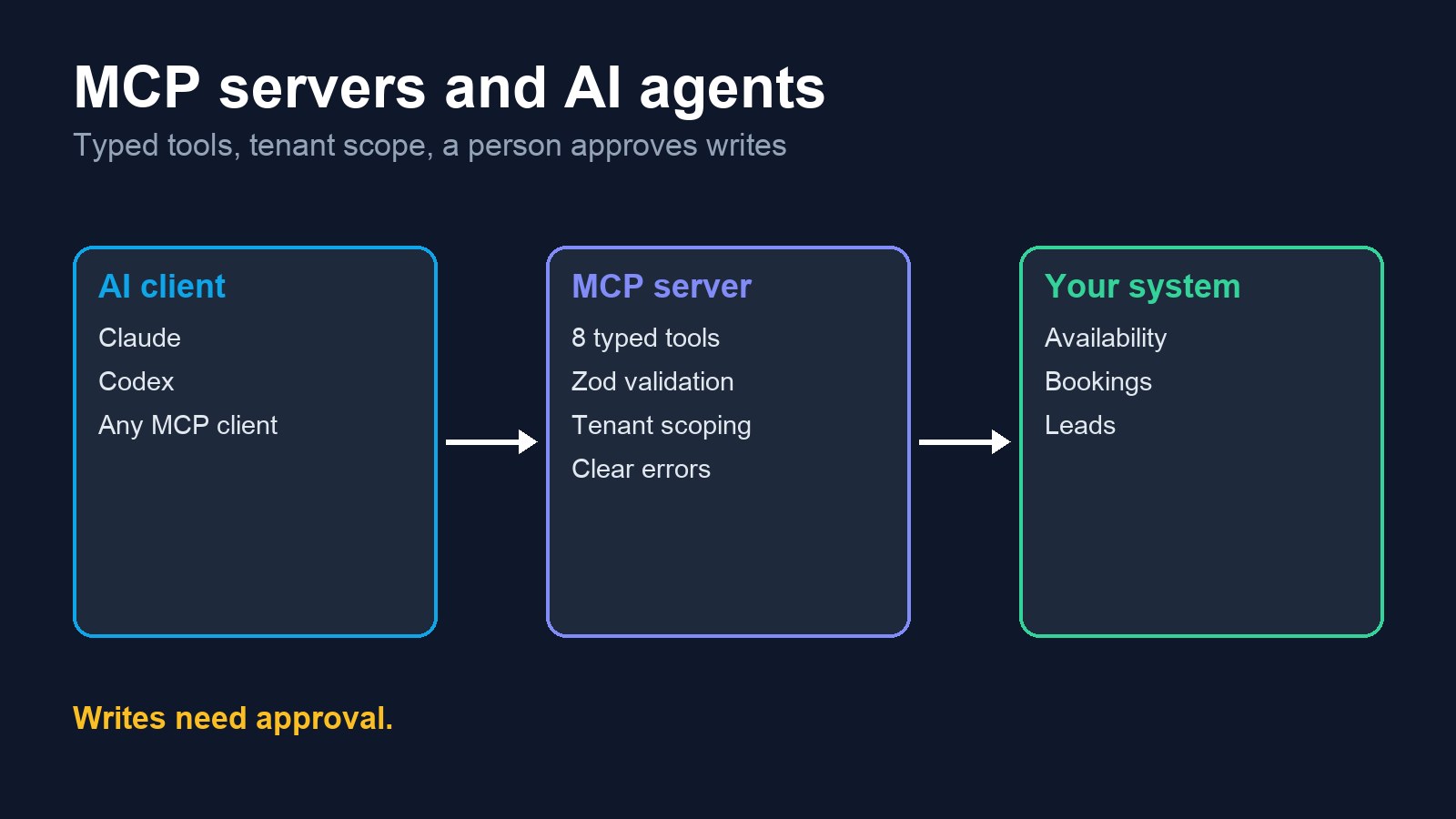
MCP (Model Context Protocol) lets an AI assistant use your software through a defined set of tools, instead of guessing from text. The work is in deciding what the model may do, checking every input, keeping each customer's data apart, and making sure a person approves anything risky.
Where each piece is real
| Work | Where | What it does |
|---|---|---|
| Custom MCP server | Job-Hunting AI (TypeScript, official MCP SDK) | Exposes an AI receptionist as tools an agent can call |
| Claude + MCP | Job search agent | Scheduled agent reads an official marketplace MCP connector |
| Codex + MCP | Same agent | Same connector on Codex, used when Claude hits a usage limit, with write tools switched off for scanning |
| Claude + Gemini + OpenAI APIs | FaceSearch SaaS | The agent layer picks a model provider by configuration |
Project 1: an MCP server for an AI receptionist
Part of Job-Hunting AI, my own SaaS. It runs over stdio, and any MCP client can connect to it.
- Eight tools: get_receptionist_config, get_services, get_business_hours, check_availability, book_appointment, list_appointments, update_appointment_status, qualify_lead.
- Typed inputs: every tool validates its input with Zod, including IDs, dates and times, before anything touches the database.
- Tenant scoping: queries are filtered by tenant, so one business's bookings stay out of another's.
- Clean failures: a tool error goes back as an MCP error the agent can read.
Project 2: one agent, two runtimes, a person in charge
A scheduled agent uses an official MCP connector to find and read job posts, then drafts a reply for review. It normally runs on Claude and moves its scan to Codex when Claude runs out of usage.
- Tools are limited per step: a scan can only read. Write tools are blocked in its configuration.
- Nothing goes out alone: sending takes a preview and then a Confirm button pressed by a person.
Project 3: the agent layer inside FaceSearch
FaceSearch is my SaaS for face search, LoRA training and virtual try-on. Its agent layer takes a chat or voice message, works out the intent and sends it to one of 10 specialists, such as photobase, LoRA, try-on, video or billing.
- Model choice is configuration: OpenAI, Anthropic Claude, Google Gemini, OpenRouter or any OpenAI-compatible endpoint.
- Everything is on record: each run and tool call is stored per organization.
- Long jobs stay where they belong: GPU work still runs through the existing queue.
What this can do for your product
Your SaaS inside AI assistants
Problem: customers want to use your product from Claude or other assistants.
Build: an MCP server over your existing API, with per-customer access.
Booking and lead agents
Problem: an agent gives wrong times because it can't see real availability.
Build: tools for availability, booking and lead qualification.
Safe write actions
Problem: nobody trusts an agent to change real data.
Build: read-only by default, with approval before any write.
No lock-in to one model
Problem: one provider's limit or outage stops your work.
Build: switching by configuration, plus a fallback path.
How a project runs
- You share your API or database outline and the jobs an assistant should do.
- I list the tools and mark which ones read, which ones write and which need approval.
- A first read-only server, connected to the assistant you use, so you can try it on real questions.
- Write tools and access control, then a short guide for your team.