The Brief
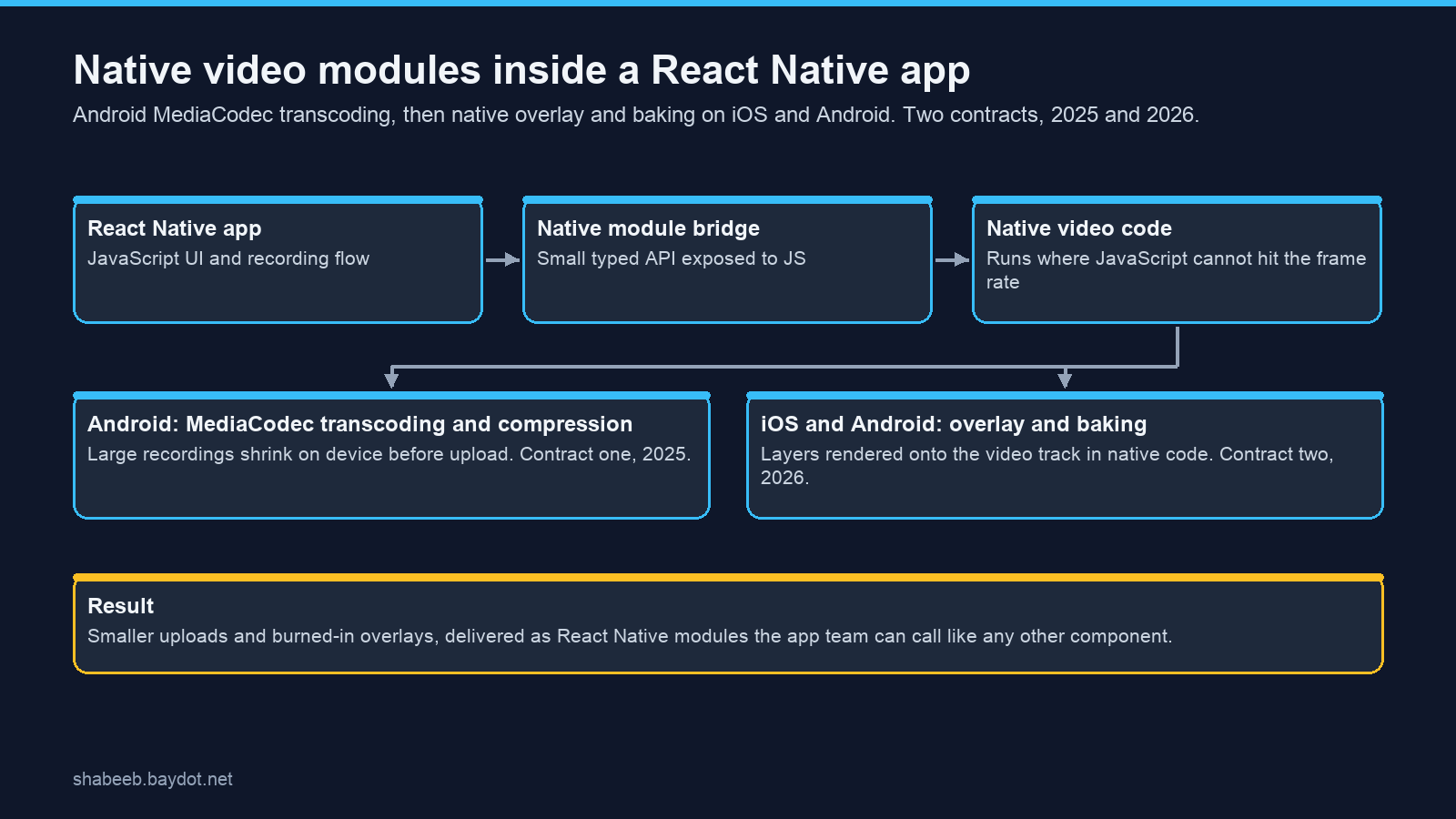
The client's React Native app records video. Two problems arrived a year apart. First, recordings were too large to upload comfortably from a phone. Then the product needed layers rendered onto the video itself, and JavaScript could not do that work at frame rate. Both times the answer was the same shape: keep the app in React Native, do the heavy work in native code, and expose it through a small typed API the app team can call like any other component.
What I Built
- Contract one, 2025: Android transcoding and compression. A native module built on MediaCodec that shrinks large recordings on the device before upload, wired into the existing app without changing how the JavaScript side records.
- Contract two, 2026: overlay and baking on both platforms. Layers rendered onto the video track in native code, AVFoundation on iOS and MediaCodec on Android, so the output is a single burned-in video rather than a preview that only looks right inside the app.
- One bridge, one API. Each capability is a React Native module with a small typed surface, so the app team calls it from JavaScript and never touches Swift or Kotlin.
Why It Holds Up
The line between JavaScript and native code is the design decision that matters in a React Native app. Put too little on the native side and the phone stutters; put too much and the app team can no longer maintain it. Keeping the native modules narrow, one job each with a typed interface, is what let the same client come back a year later and ask for the next one.