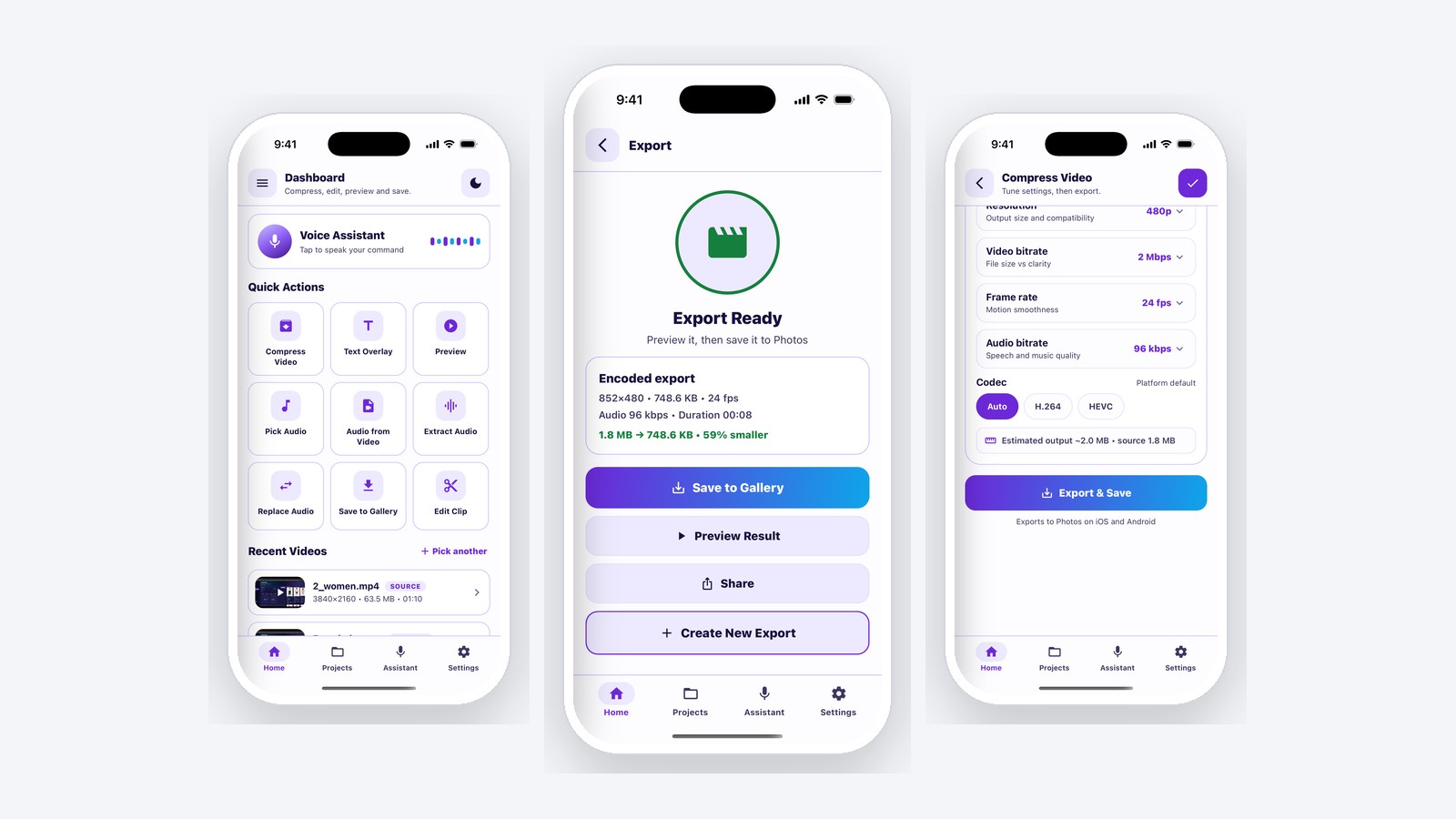
The Brief
Let people shrink a video on their phone, reliably, without uploading it anywhere. No server, no queue, no cloud bill, and no privacy conversation. The file never leaves the device. The catch is that React Native has no native media pipeline of its own, and the two platforms underneath it disagree about almost everything.
Approach: One JavaScript API, Two Native Implementations
I built the compression engine as a self-contained native module with a single typed JavaScript surface, implemented separately in Swift and Kotlin against each platform's own encoder. The app code calls one function; the module absorbs the platform differences.
- Bitrate-accurate H.264 encoding on both platforms, with explicit control over resolution, video bitrate, frame rate and audio bitrate, so an output size can be targeted rather than hoped for.
- Quality presets over that low-level API for users who just want "smaller", plus an advanced panel for users who want the dials.
- Progress and completion events that are cancel-safe, so a user backing out mid-encode does not leave a dangling job or a corrupt file.
- Text overlay with nine anchor positions, source and output metadata, native permission handling, and save-to-gallery on both platforms.
What It Measures on a Real Export
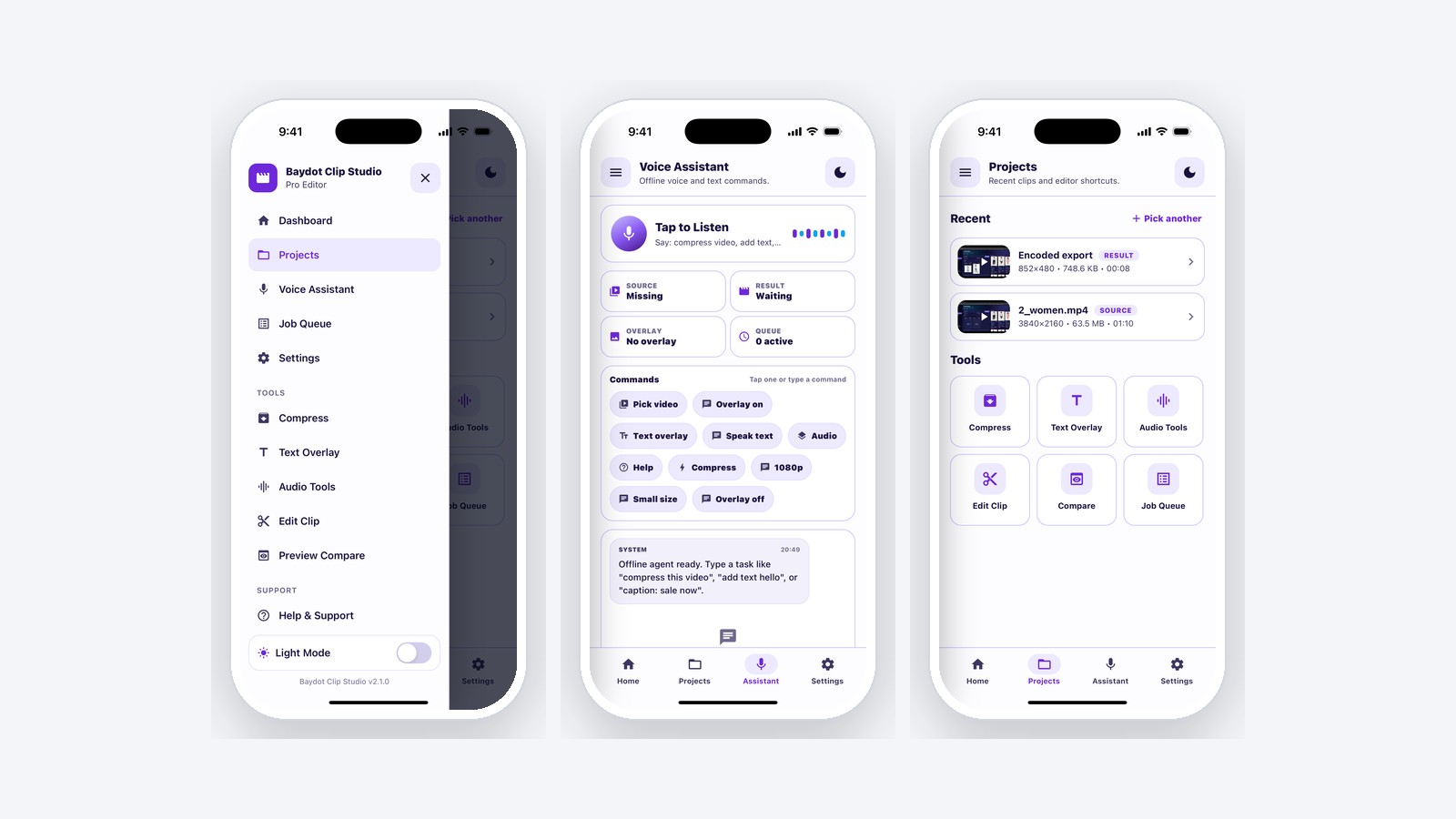
The app reports its own before-and-after, so the numbers below are readings rather than estimates. A 1.8 MB 720p clip taken down to 480p HEVC lands at 748.6 KB, and a 63.5 MB 4K source is handled on the handset without a server anywhere in the path.
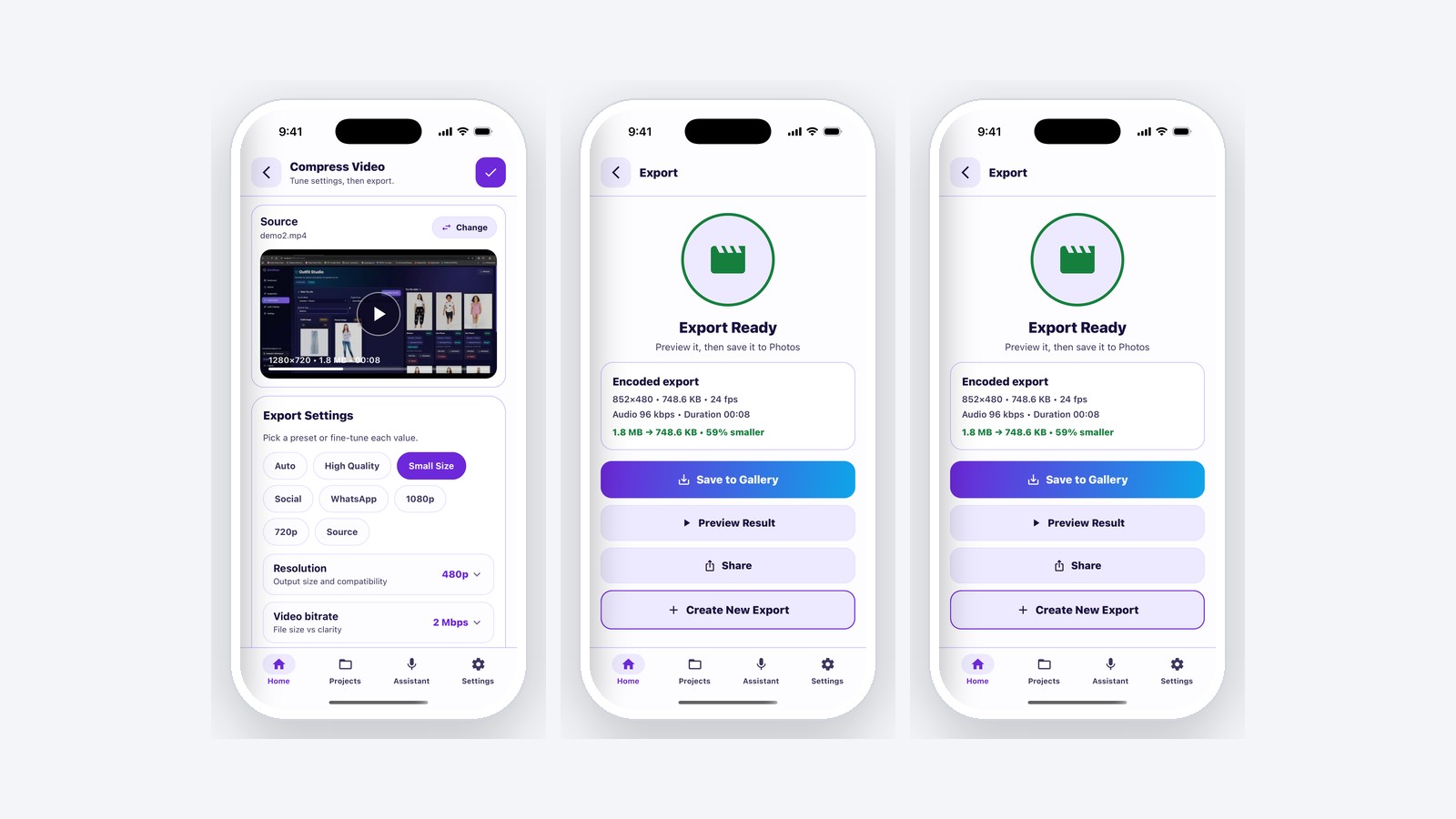
Before the encode starts, a live estimate does the bitrate arithmetic; during it, progress is visible and cancellable; after it, the result states exactly what changed. Codec choice is exposed rather than hidden, HEVC for size, H.264 for compatibility, or the platform default.
Editing Without Re-Encoding
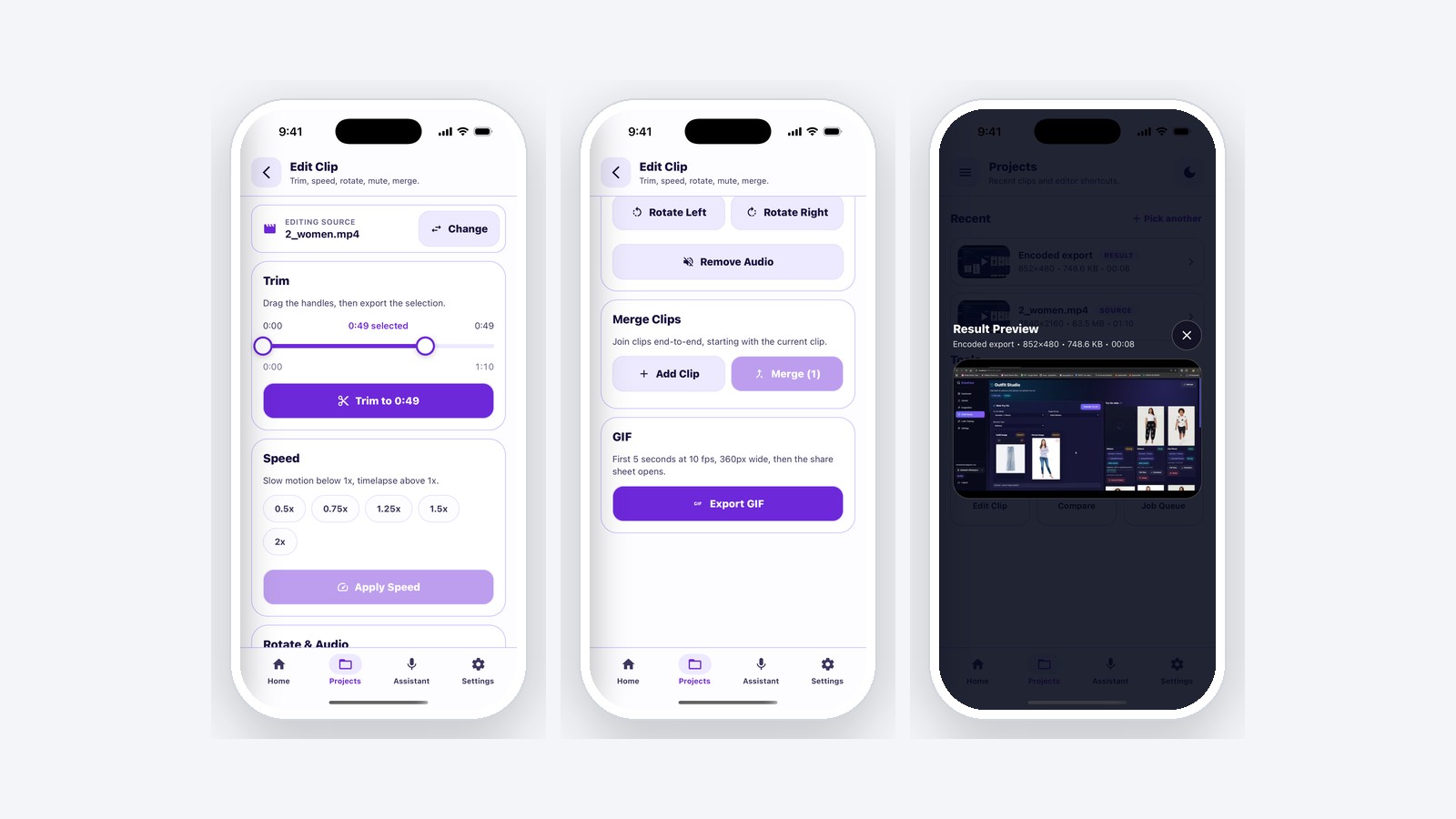
Trim, rotate, mute, merge and speed changes are all implemented as remux operations rather than re-encodes: the compressed streams are copied into a new container with adjusted timing or orientation metadata. The result is effectively instant and lossless, where a naive re-encode would cost minutes of battery and a generation of quality.
The Part Most Modules Skip: Documenting the Edges
Cross-platform media work is full of asymmetries, and the failure mode is a module that pretends they do not exist until an app ships a bug. This one ships a platform support matrix instead: which calls behave identically, which differ, and exactly where. Text overlay sizing behaves differently on one encoder. Merging on Android requires matching codec and resolution. A speed change preserves audio on one platform and not the other. Every one of those is written down next to the API that has the limitation. GIF export is the sharpest example: iOS hands frames to ImageIO in a few lines, while Android has no equivalent at all, so that platform carries a hand-written GIF89a encoder (palette quantiser, LZW compressor and writer) to produce the same output.
A documented limitation is a feature. An undocumented one is a support ticket in three months, filed by someone who trusted the API signature.
The Interface Around It
Two complete themes built from one token set (designed, not inverted) with a shared component layer for cards, chrome and controls. Every colour that sits on top of video comes from a dedicated on-media palette, so captions stay legible over any frame. Preview posters use real decoded frames rather than placeholder art.
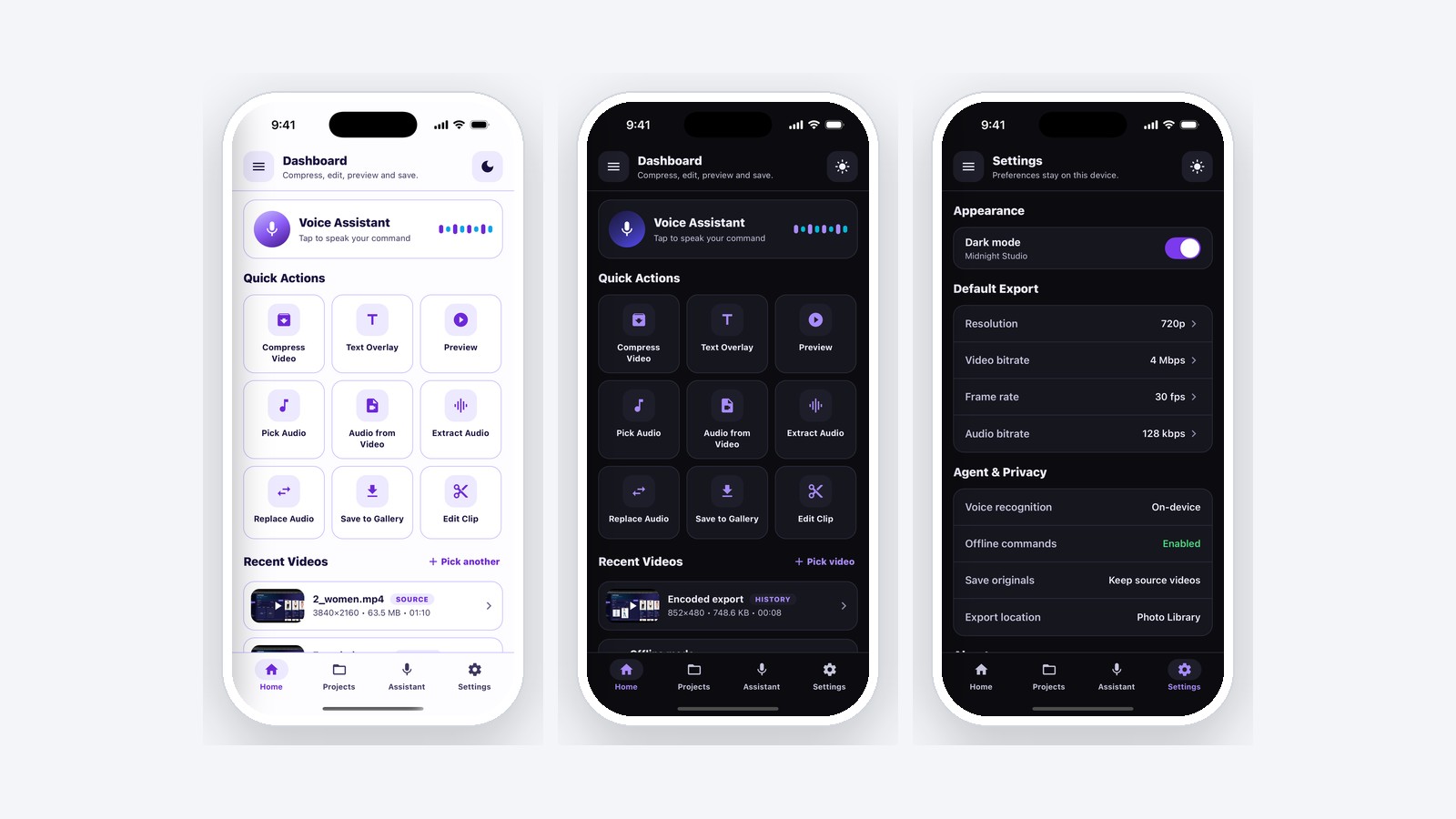
Finished exports persist for seven days and survive a restart, with entries dropped automatically once their file leaves the cache. An offline command surface accepts typed or spoken instructions ("compress this video", "save to library") parsed on the device.
Delivery
The module is packaged for reuse. It drops into another React Native or Expo project as a local dependency with an integration guide covering every exported function, and it has already been reused across more than one product. The app around it ships a themed light and dark interface, quality presets, live progress with cancel, before-and-after stats, and gallery export.
Why On-Device Was the Right Call
| Server-side compression | On-device | |
|---|---|---|
| Cost per video | Bandwidth plus compute, forever | Zero |
| Time to result | Upload, queue, encode, download | Encode only |
| Privacy posture | User video sits on your infrastructure | Nothing leaves the phone |
| Offline | Does not work | Works |
| Cost of the approach | Low. One implementation | Real native work on two platforms |
The last row is the honest trade. On-device media costs more engineering up front and pays it back in every unit of scale, which makes it the right choice for a consumer product and the wrong one for a low-volume internal tool.
Message me on the platform where you found this and I will answer there.